Adobe Analytics Workspace: Beginners Cheat Sheet
A beginner's cheat sheet for Adobe Analytics Workspace covering panels, visualisations, segments, and key shortcuts — now with an interactive app.
By Anil Umachigi
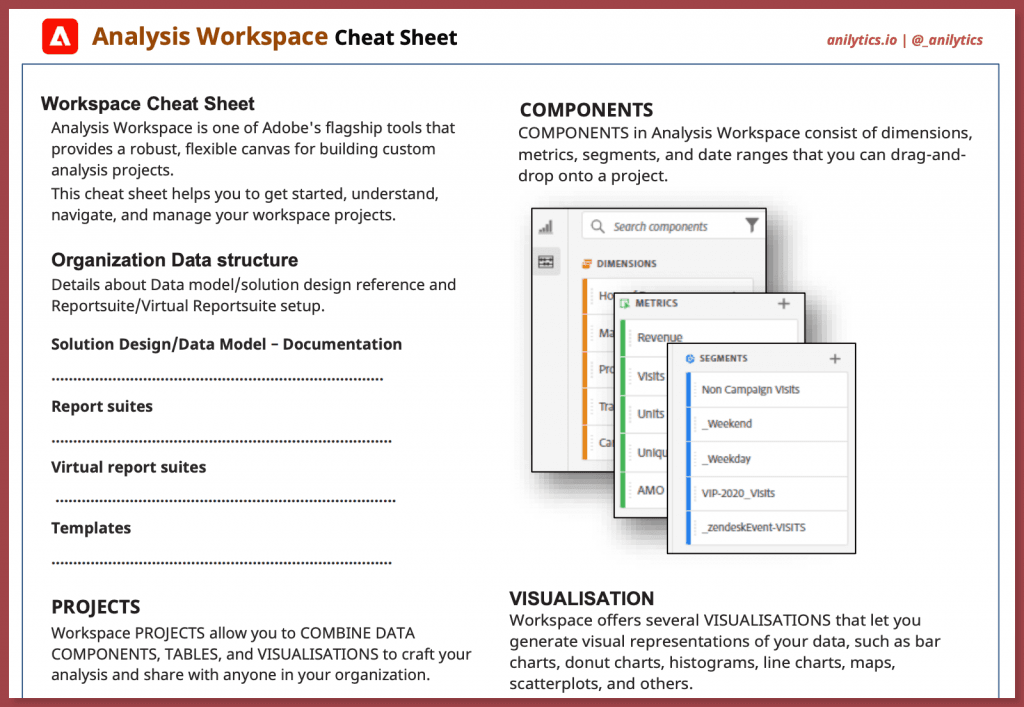
Adobe analytics helps digital teams capture, report, create dashboards and extensive drill down of digital data for multiple stakeholders.
The key to get started with Adobe analytics workspace as a tool is to understand the building blocks or what I call the "Nuts and bolts" of Analysis workspace.
This is where the user has to invest (for a good compounding result) their time to understand the feature set which they could later "relate to a business use case", and this Adobe analytics workspace cheat sheet intends to help user with the learning curve.
#What's included in the cheat sheet?
Let's quickly take a look at what is included in the cheatsheet, this cheat sheet can be used as a whole or just relevant parts as per business needs.
#The basics of Analysis workspace
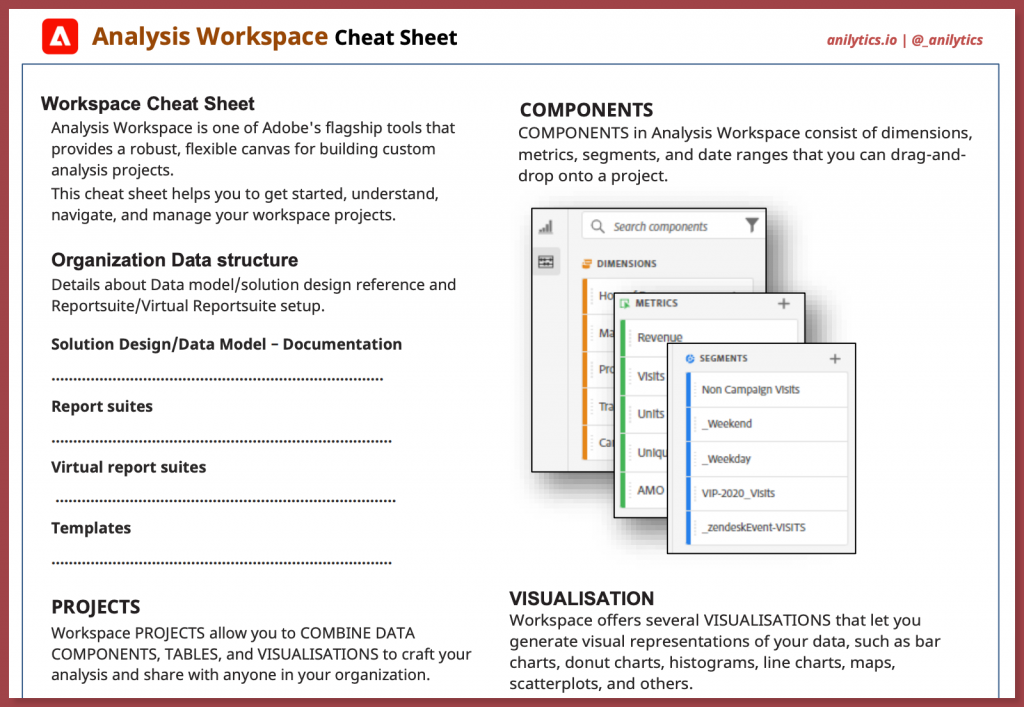
The basics of analysis workspace helps us understand more about the data source i.e how is data structured within analysis workspace (report suites, VRS etc), in addition the solution design reference (available dimensions, metrics and segments) helps users to know data before translating business usecases into reports/insights within Analysis workspace.
This followed by understanding of core building blocks, i.e Projects, Panels, Viz and Components is a great primer to help get started with Adobe Analytics Workspace
#Get to know the User interface
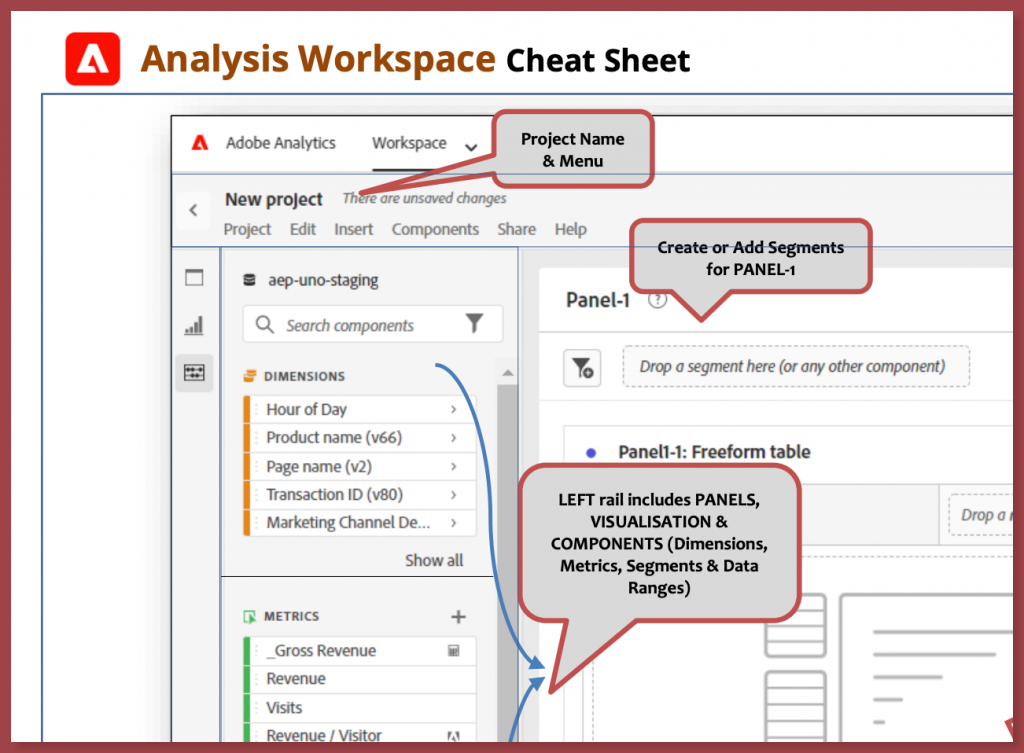
The user interface for analysis workspace can be daunting to begin with, the power of canvas like structure of workspace provides an excellent way to report on various use case, For new users (i.e never used workspace) this may prove to be bit of a learning curve. This section provides users information about most used interface options.
#Save time and clicks with Hotkeys
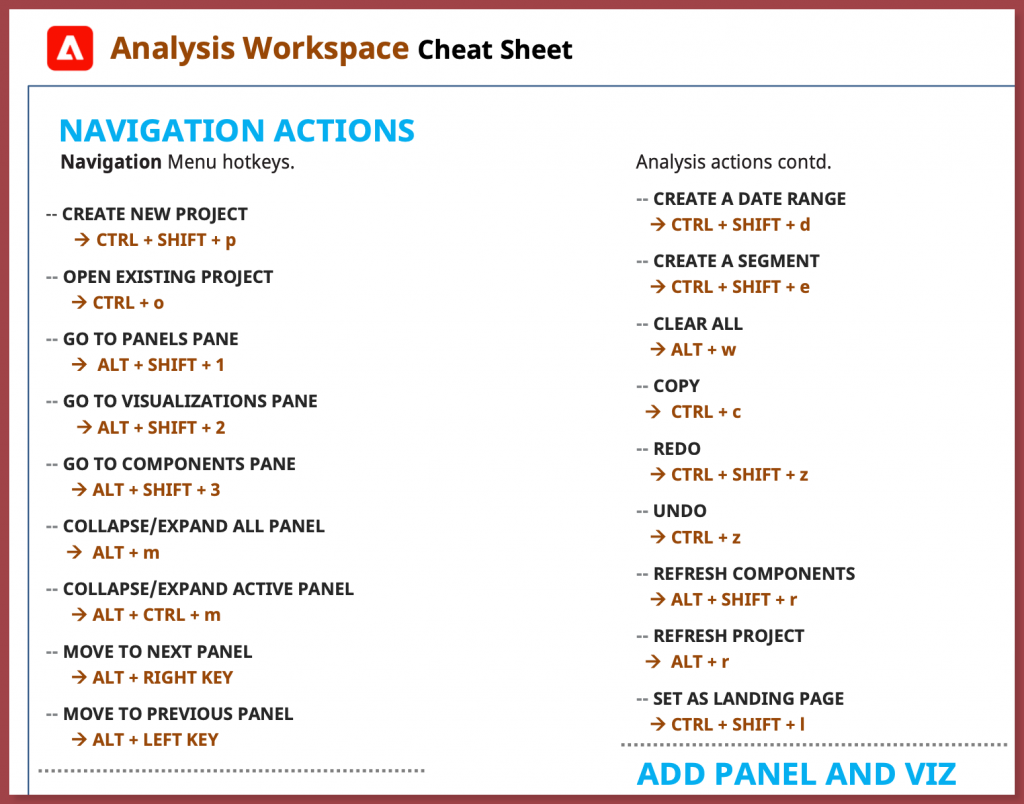
With so much to choose, i.e click and drag you may end up spending quite a bit of mouse clicks to get things done. This page helps you with handy keyboard hotkeys to get those common task within workspace.
#How to Use the Cheat Sheet?
Here are some of ideas to use cheat sheet
- Onboarding document for new team members
- Training new/existing users
- Part of Templates for new users
#Updates and Feedback
There is so much more that can be part of this cheat sheet :), and will be updated in the near future. if you use something similar or have feedback on what can be included please feel free to reach out.
#Download
This cheat sheet now has its own app! The CJA & Adobe Analytics Hotkeys app lets you browse all keyboard shortcuts interactively — and you can export a PDF directly from there.
Stay in the loop
Get new field notes in your inbox.
Practical guides on Adobe Experience Cloud, data collection, and modern marketing. No noise.
Unsubscribe whenever you like.
Read on
More to explore.

Your guide to Must Watch Adobe Summit 2023 Sessions
A curated guide to the most important Adobe Summit 2023 sessions covering Analytics, AEP, Real-Time CDP, and Customer Journey Analytics.

Top 5 Must Watch Adobe Analytics Sessions: Quick Summary
Quick summaries of the top 5 Adobe Analytics sessions from Adobe Summit — covering Workspace, CJA, and the future of Adobe Analytics.