Adobe Project Firefly: Technical Overview
A technical deep-dive into Adobe App Builder architecture, runtime, APIs, and how it fits into the Adobe Experience Cloud ecosystem.
By Anil Umachigi
This is the second post in the series on Adobe Project Firefly. You can read the introduction and why you should consider using Adobe Project Firefly first.
Project Firefly involves a lot of moving parts. As a primer, it makes sense to spend some time understanding the core fundamentals and stack of products and services available.
In this post we'll cover:
- Getting access to Adobe Project Firefly
- Core components of the Project Firefly framework
- Architecture overview
- Security overview
- Integration with Adobe Experience Cloud
#Getting Access to Adobe Project Firefly
Adobe Project Firefly is still in developer preview. You can get access by filling in the form. Read more here.
#Core Components of Adobe Project Firefly
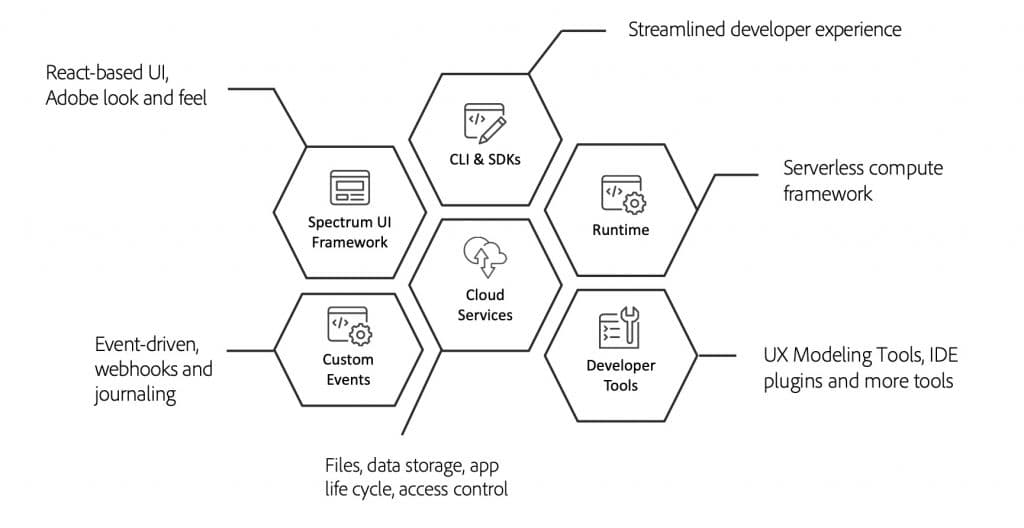
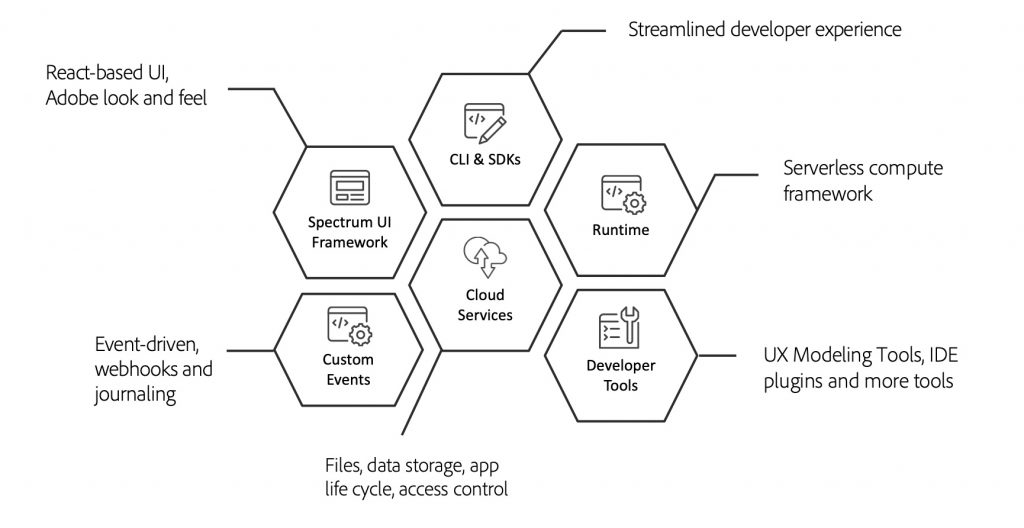
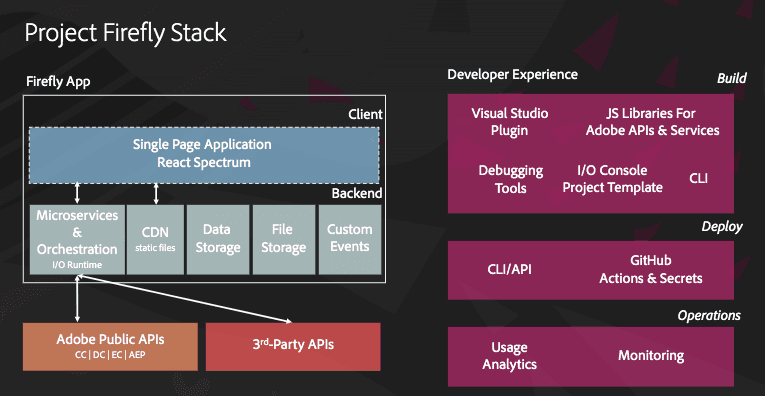
Here's a look at the core components:
#Single Page Application
The React Spectrum project implements Adobe's Spectrum design language. It includes a React-based UI framework for creating experiences that feel native alongside Adobe products.
#Serverless Platform (Adobe I/O Runtime)
Adobe's serverless compute framework for running custom code on Adobe's infrastructure — enabling you to deploy applications (headless or headful) that can respond to events and take action.
#Developer Tools
Project Firefly comes with a set of dev tools, services, and libraries to help scaffold, build, and debug applications.
#CLI and SDK
A streamlined way for developers to interact with core Adobe services to automate processes and build apps:
- Adobe I/O CLI
- Adobe Experience Cloud product libraries
- CI/CD pipeline
#Cloud Services
A range of services for file and data storage, managing application lifecycle, and user access control for cloud-native applications.
#Event-Driven Apps
Ability to publish and consume custom events, with support for webhooks and journaling. Custom events make it easy to build event-driven applications.
#Adobe Project Firefly Architecture
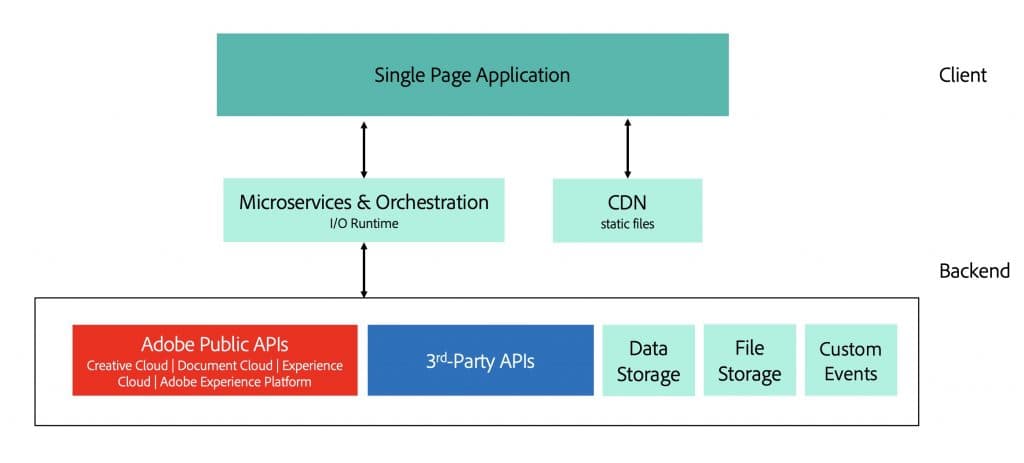
The Adobe Project Firefly team has published a video that sums up the architecture of Firefly applications well — covering the JAMSTACK approach and how the components connect.
#Project Firefly Security Overview
Access control for apps and out-of-box features to build secure applications are covered in detail in the official Adobe resources. Key points: API authorisation and user access control come built in.
#Integration with Adobe Experience Cloud
Adobe Experience Cloud is a single gateway to all your existing apps. With Project Firefly you can leverage this to provide a unified experience to users and manage all your apps within the Experience Cloud shell.
Any products/apps built will have access to and interact with Experience Cloud features such as the top bar, menus, alerts, and notifications.
For a detailed guide refer to this page.
Next in this series: Create Project and Bootstrap App
Stay in the loop
Get new field notes in your inbox.
Practical guides on Adobe Experience Cloud, data collection, and modern marketing. No noise.
Unsubscribe whenever you like.
Read on
More to explore.
Adobe Project Firefly: Create Project and Bootstrap App
Step-by-step guide to creating your first Adobe App Builder project in Adobe Developer Console and bootstrapping a local app.
Adobe Project Firefly: Debug, Deploy and Publish App
Learn how to debug locally, deploy to stage, and publish your Adobe App Builder application to production in Adobe Experience Cloud.
Adobe Project Firefly: What is it and Why you need it
An introduction to Adobe App Builder — what it is, why it exists, and how marketers and developers can extend Adobe Experience Cloud.